

HAM Sense420
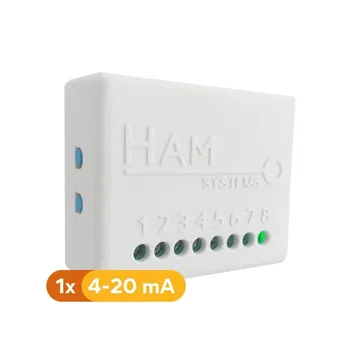
The HAM Sense420 reads an industrial sensor with a 4-20 mA output and sends the value to the app. It is for level, temperature, humidity or other sensors that you already have or want to add.
The serial number starts with e41:. The older version has a serial number that starts with 41:.
In the app the device shows as HAM 420MAS (or HAM 420MA for the older version).
What a 4-20 mA sensor is
Section titled “What a 4-20 mA sensor is”Many industrial sensors do not send a number. They send an electrical current on the cable. The current is from 4 to 20 mA (milliampere):
- 4 mA means the lowest value of the sensor.
- 20 mA means the highest value of the sensor.
- The values between are proportional.
Example: a temperature sensor for 0 to 100 °C sends 4 mA at 0 °C, 12 mA at 50 °C and 20 mA at 100 °C. The scale of the sensor is on its label or in its datasheet.
A current below 4 mA usually means a cut cable or a failed sensor.
What it measures
Section titled “What it measures”| Reading | Unit | Note |
|---|---|---|
| 4-20mA | mA | The current from the sensor. |
| The sensor value | The one you select | Calculated from the current. See 4-20mA Reading below. |
| General input 1, 2 | open / closed | Shows when you set up the input. |
| Input counter 1, 2 | count | Counts the changes of the input. |
Typical uses
Section titled “Typical uses”- Level in tanks for water, fuel or other liquids.
- Sensors in greenhouses, boreholes and industrial sites.
Installation
Section titled “Installation”A technician connects the sensor to the terminals. For the wiring diagram, contact us. See contact support.
Connect the device to WiFi from the mobile app. See WiFi setup.
Settings
Section titled “Settings”Sensor scale
Section titled “Sensor scale”With these three settings the app changes the current into the sensor value:
- 4-20mA Reading: what the sensor measures, for example Temperature, Humidity or Percent. The app uses the name and the unit of this reading. The default is Percent (%).
- 4-20mA Low value (@4mA): the sensor value at 4 mA. The default is 0.
- 4-20mA High value (@20mA): the sensor value at 20 mA. The default is 100.
Example for a temperature sensor for 0 to 100 °C:
| Setting | Value |
|---|---|
| 4-20mA Reading | Temperature |
| 4-20mA Low value (@4mA) | 0 |
| 4-20mA High value (@20mA) | 100 |
With a current of 12 mA the app shows 50 °C.
For a tank level sensor, keep the defaults. The app shows 0 % at 4 mA (empty) and 100 % at 20 mA (full). The list does not have a pressure reading today.
With a current below 4 mA the app shows the low value.
Advanced
Section titled “Advanced”In Settings > Advanced:
- ADC Ref. Resistance: the measuring resistor in Ω. The default is 120 Ω. Do not change it unless we tell you to.
- ADC Averaging Samples: the number of samples that the device averages. The default is 100. More samples give a more stable value.
- General input is alarm output: the last general input becomes an alarm output. A rule with the action Alarm output turns it on.
The general settings of all devices are in device settings.
Recommended rules
Section titled “Recommended rules”The app does not suggest ready rules for this device. Make two rules:
- An alert when the sensor value goes out of your limits, for example a low level in the tank.
- An alert when the 4-20mA goes below 4 mA. This usually means a problem with the cable or the sensor.
See Create a rule and offline alerts.
Troubleshooting
Section titled “Troubleshooting”- The value stays at the low value: check the 4-20mA reading. If it is below 4 mA, check the cable and the power supply of the sensor.
- The value is wrong: compare the low and high values with the label of the sensor. See wrong values.
- The device is offline: see device offline.
Specifications
Section titled “Specifications”| Input | 1 analogue 4-20 mA input |
| General inputs | 2 |
| Connectivity | WiFi 2.4 GHz |
| Marks | CE, WEEE, RoHS |
To buy, see the shop.