

HAM EYE
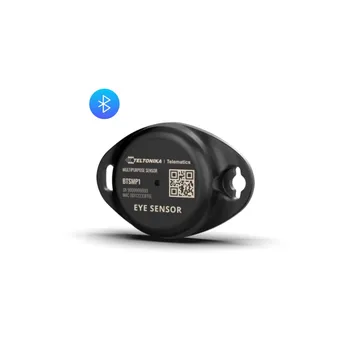
The HAM EYE sensor measures temperature, humidity and the state of a magnet over Bluetooth. Use it in warehouses, in transport and in the cold chain. The shop sells it as the Teltonika EYE Sensor.
The serial number starts with b1:.
How it connects
Section titled “How it connects”The device has no internet connection of its own. It needs a HAM WiFi device with the BLE hub feature, or a GPS tracker, near it. That device hears the sensor and sends its readings to the app. The Heard by reading shows which device heard the sensor last.
In a vehicle, the GPS tracker can read the EYE sensor with no wiring into the load compartment. See GPS trackers with temperature.
What it measures
Section titled “What it measures”| Reading | Unit | Note |
|---|---|---|
| Temperature | °C | |
| Humidity | % | |
| Magnet | open / closed | For a door or lid, with a magnet. |
| Magnet Counter | count | Counts the changes of the magnet. |
| Battery | % | |
| Battery Voltage | V | |
| Heard by | device | The device that heard the sensor last. |
| Latitude, Longitude | degrees | From the device that heard the sensor. |
| Last move at | time | The last time the position changed. |
Typical uses
Section titled “Typical uses”- Temperature and humidity in warehouses and rooms.
- Temperature in refrigerated trucks, together with a GPS tracker.
- Doors and lids, with the magnet.
Installation
Section titled “Installation”The device needs no WiFi setup. Claim it to your account with the Device key. See BLE devices.
Settings
Section titled “Settings”- Show map: shows the sensor position on a map.
- Include in summary views: the sensor shows in the summary views.
- Device Description: text that shows as a subheading in reports.
Recommended rules
Section titled “Recommended rules”On the device page, the Recommended setups button suggests:
- Temperature out of range: an alert when the temperature goes outside your limits.
- Humidity out of range: an alert when the humidity goes outside your limits.
See Your first alert.
Troubleshooting
Section titled “Troubleshooting”- The app shows the device offline: make sure that
- the HAM device that hears it is online,
- the device is near that HAM device,
- its battery is not low.
- For general problems, see device offline.
Specifications
Section titled “Specifications”| Item | Value |
|---|---|
| Connectivity | Bluetooth LE |
| Power | Battery |