

HAM GPISense
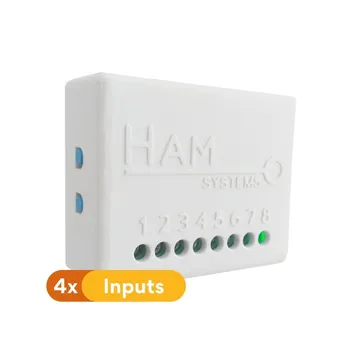
The HAM GPISense monitors up to 4 dry contacts over WiFi and alerts you when their state changes. Use it for doors, windows, alarm outputs, machine faults and pulse meters.
The serial number starts with e14:. The older version has a serial number that starts with 35:.
What it measures
Section titled “What it measures”| Reading | Unit | Note |
|---|---|---|
| General input 1-4 | open / closed | One reading for each contact you connect. |
| Input counter 1-4 | count | Counts the changes of the input. Use it for pulse meters. |
The app shows each input as Gen. In., Gen. In. 2 and so on until you give it a name, for example “Storage door”. You can also give your own names to the open and closed states. An input shows when you give it a name or when its counter counts something. The counter shows with the input name and the word Counter.
Typical uses
Section titled “Typical uses”- Doors and windows, with a magnetic contact.
- Cold room doors.
- Fault or alarm outputs from other machines, for example a boiler or a pump.
- Meters with a pulse output, for example water meters.
Installation
Section titled “Installation”- Connect each contact to one general input of the device.
- Connect the device to WiFi from the mobile app. See connect to WiFi.
- Give a name to each input you use, from the device page.
The shop sells the device alone or with 1 to 4 magnetic contacts.
For more, see physical installation.
Terminals
Section titled “Terminals”- Input 1: terminal 7. Input 2: terminal 8. Input 3: terminal 5. Input 4: terminal 4.
- The common terminal of the contacts is 2 (GND).
- The 5-12 VDC power supply connects to terminals 1 (+) and 2 (GND).
Settings
Section titled “Settings”- General input is alarm output (
e14only): the last general input becomes an alarm output. A rule turns it on when there is an alarm. - Alarm buzzer mode (
e14only): the device sounds when an alarm is active. - Gauge readings (
35only): shows the percentage of inputs that are active. - Allow LAN commands: other devices on your local network can control this device. Keep the setting off if you do not need it.
- Force IPv4 (
e14only): the device uses IPv4 only. - Do not keep track of data: the device keeps no reading history.
- Include in summary views (
e14only): the device shows in the summary views. - Device Description: text that shows as a subheading in reports.
The general settings of all devices are in device settings.
There are no ready recommended rules for this device. A usual rule sends an alert when an input becomes open. See create a rule and the examples.
Troubleshooting
Section titled “Troubleshooting”- The input does not show: give the input a name. An input without a name stays hidden until its counter counts something.
- The state is reversed: change the state names so that they match your contact.
- The device is offline: see device offline.
Specifications
Section titled “Specifications”| Item | Value |
|---|---|
| Connectivity | WiFi 2.4 GHz |
| Inputs | Up to 4 dry contacts |
| Outputs | One input can become an output (3 inputs and 1 output) |
| Buzzer | Yes |
| Power | 5-12 VDC, 0.5 A |
| Operating temperature | -10 to 50 °C |
| Dimensions | 55 x 44.1 x 21.5 mm |
| Material | ABS |