

HAM RemoteAC
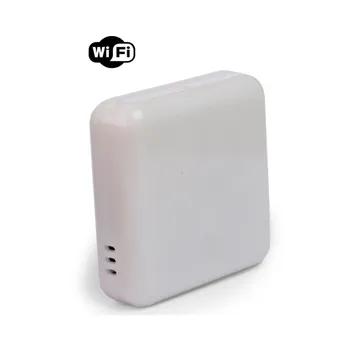
The HAM RemoteAC controls your air conditioner from the app, as the remote control does. It also measures the temperature and the humidity of the room.
The current version is the HAM RemoteACS and its serial number starts with e20:.
The older version has a serial number that starts with 20:.
What it measures
Section titled “What it measures”| Reading | Unit | Note |
|---|---|---|
| Temperature | °C | Room temperature. |
| Humidity | % | Room relative humidity. |
| IR State | state | State of the IR output. e20 only. |
Typical uses
Section titled “Typical uses”- Homes and holiday homes: turn on the air conditioner before you arrive.
- Rental rooms and offices: turn off the air conditioner when nobody is there.
Installation
Section titled “Installation”The device needs only a power socket and WiFi. Put it where it can “see” the infrared receiver of the air conditioner.
- Connect the device to the power socket.
- Connect it to WiFi from the mobile app. Press the setup button until the green LED blinks. See Connect to WiFi.
- When the device is connected, the blue LED goes off. See LED states.
- Find the correct codeset for your air conditioner. See the settings below.
HAM RemoteAC setup on YouTube. The video shows an older version of the app.
Settings
Section titled “Settings”Remote setup
Section titled “Remote setup”In the Remote setup setting, press Set up. The codeset search for your air conditioner opens. The device must be online to try codesets.
- Auto-try all: the app tries the codesets one by one.
- Search codeset: find a codeset by name.
- If not everything works as expected, try other codesets.
- If the air conditioner does not turn on when it is off, use Set with ON preamble.
Thermostat
Section titled “Thermostat”- Thermostat mode: the device controls the air conditioner from the temperature it measures.
- Thermostat mode hysterisis value (in Advanced,
e20only): the temperature margin of the thermostat.
BLE sensors (e20 only)
Section titled “BLE sensors (e20 only)”The RemoteACS reads HAM BLE sensors. See BLE devices.
- BLE magnetic contact monitor: monitors BLE magnetic contacts, for example on a window.
- BLE motion monitor: monitors a BLE motion sensor.
- BLE Tag monitor: monitors a BLE Tag.
In Advanced you set the delays before the air conditioner turns off, and the BLE sensors that the device accepts:
| Setting | Default | Limits |
|---|---|---|
| No motion delay for turn off | 900 s | 60 to 86400 s |
| Contact open delay for turn off | 90 s | 10 to 3600 s |
| BLE Tag absence delay | 180 s | 60 to 86400 s |
| BLE Monitor Whitelist | Empty | 7 MAC addresses of BLE sensors |
| BLE Tag MAC | Empty | 8 MAC addresses of BLE Tags |
Hotel room
Section titled “Hotel room”In a hotel room you can use three devices together:
- The HAM Bluetooth Card Switch cuts the room power when the HAM BLE Tag on the key leaves the room.
- The RemoteACS with BLE Tag monitor turns off the air conditioner when it does not hear the same BLE Tag. Write its MAC address in BLE Tag MAC. You find it on the page of the tag, in the Firmware section.
- The RemoteACS with BLE magnetic contact monitor turns off the air conditioner when the BLE magnetic contact on the balcony door stays open. Write the MAC address of the contact in BLE Monitor Whitelist.
Controls
Section titled “Controls”The IR output works as the remote control does:
| Option | Values |
|---|---|
| Mode | OFF, COOL, HEAT, AUTO, DRY, FAN |
| Temperature | 17-30 °C, only in COOL and HEAT |
| Fan | AUTO, LOW, MID, HIGH |
Recommended rules
Section titled “Recommended rules”The Recommended setups button on the device page guides you step by step to make a schedule. On the RemoteACS it also suggests a rule with a BLE magnetic contact.
See Your first alert.
Troubleshooting
Section titled “Troubleshooting”- The air conditioner does not respond: make sure the device can “see” the receiver of the air conditioner. Then try a different codeset.
- Some functions do not work: try other codesets.
- The device is offline: see device offline.
Specifications
Section titled “Specifications”| Air conditioner control | Infrared (IR) |
| Power | 5 VDC, 1.5 A, micro-USB (adapter in a power socket) |
| Connectivity | WiFi 2.4 GHz, BLE for sensors (e20) |
| Temperature and humidity sensor | ±1 °C, ±5% RH |
| Operating conditions | -10 to 55 °C, 0-90% RH |
| Dimensions | 50.9 x 50.9 x 16.5 mm |
To buy, see the shop.