

Move a device to another place or account
To another place
Section titled “To another place”The device stays on your account. The move changes only the WiFi connection.
| New place | What to do |
|---|---|
| On the same site, with the same WiFi | Check the Signal Strength on the device page after the move. |
| On another site, with another WiFi | Send the details of the new WiFi to the device. See Change the router or WiFi password. |
If the device uses a probe or a current transformer, check the installation and the settings again. See Probe placement and wiring.
If the use of the device changed, check its rules too. For example, a fridge and a freezer need different temperature limits.
To another account
Section titled “To another account”Each device has one owner. The app does not transfer the ownership from one account to another. You have two options.
Sharing
Section titled “Sharing”If the other user only needs to see or control the device, share it. The device stays on your account. See Share devices.
New owner
Section titled “New owner”The current owner removes the device from their account. Then the new owner claims it with the Device key.
-
The current owner opens the device page.
-
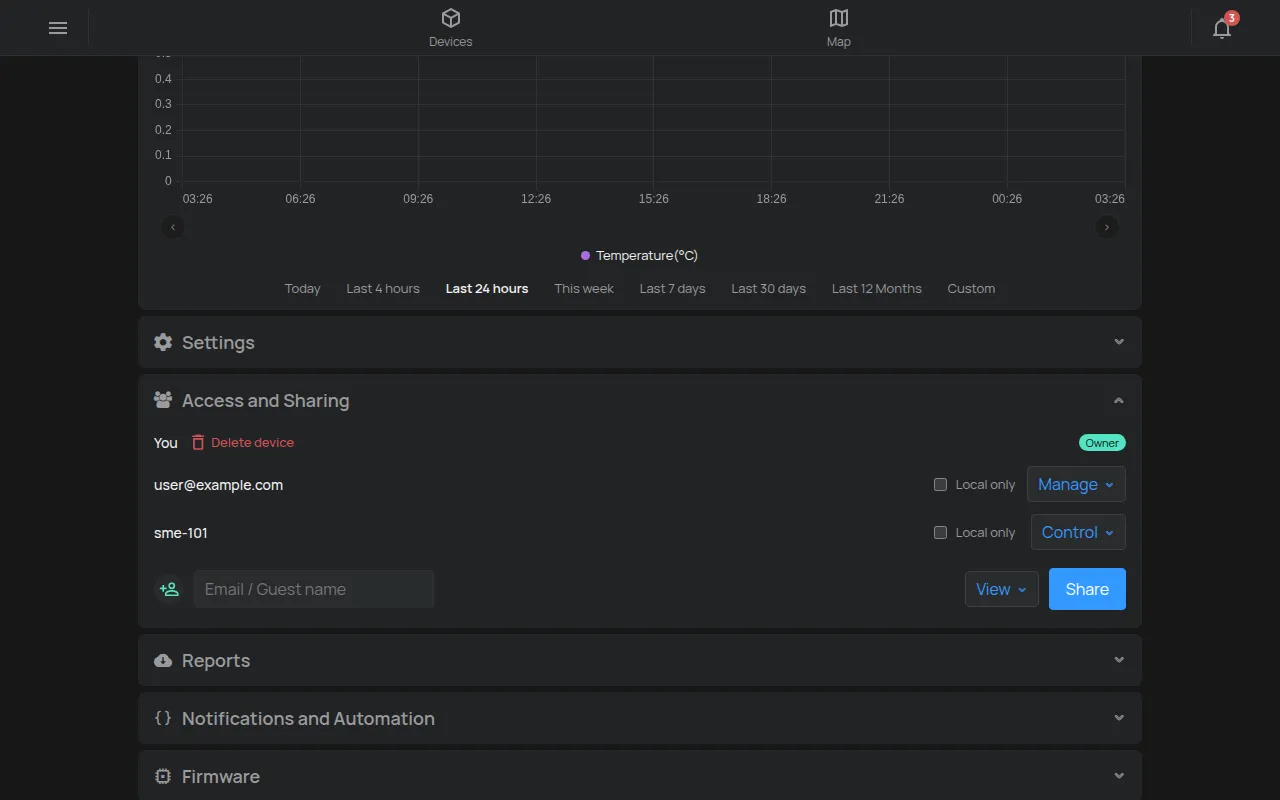
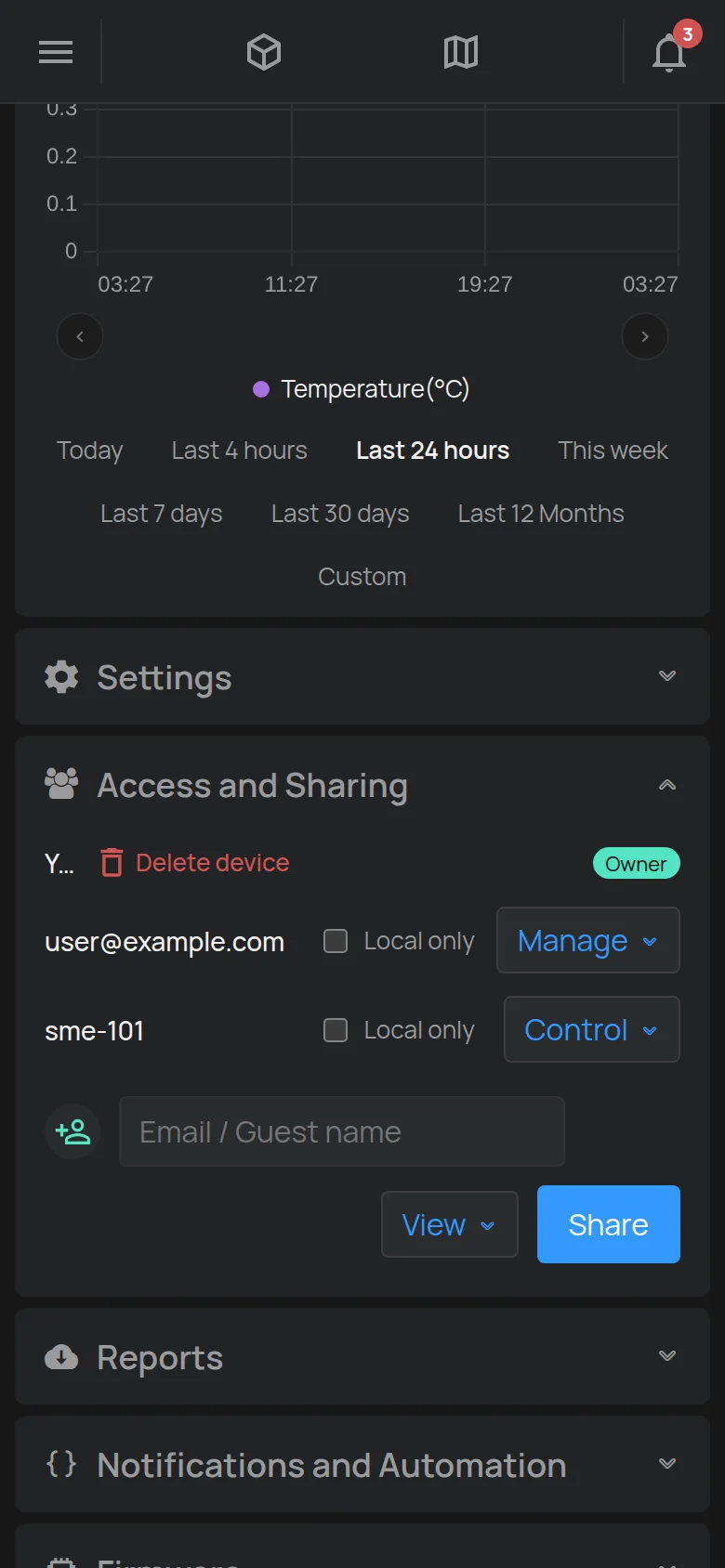
In the Access and Sharing section, they find their own row with the Owner badge.
-
They tap Delete device.
-
They confirm two times: at Really remove device? and at This permanently removes the device from your account. Continue?.
-
The new owner claims the device on their own account. See Claim a device with its Device Key.
The new owner needs the label with the Device key. Give them the label together with the device.
If the device moves to another site, the new owner also connects it to their WiFi. See Connect a device to WiFi.
Do you install for customers?
Section titled “Do you install for customers?”Claim the device on the customer’s account from the start. Then you do not need to move it later. To set up and maintain the customer’s devices, ask to manage the customer’s account. See Management by an installer or partner.
The previous owner is not available
Section titled “The previous owner is not available”If the previous owner did not remove the device, the claim shows Device already belongs to someone else.. See The device belongs to another account.
For questions about the reading history after a change of owner, contact support.